Instagram Reels Downloader — Save Instagram Reels Free | FZ-Tools
Download Free
Downloader
Home YouTube Instagram TikTok Twitter / X Facebook Any Website
Tools & Convert
Sign PDF Remove Background Merge PDF Image Converter MP4 to MP3 All Tools
More
Blog

Download Instagram Reels
Without Watermark

Save any Instagram Reel to your phone or computer in HD — no watermark, no login, completely free.

✅ No Watermark ✅ HD Quality ✅ No Login ✅ iPhone & Android ✅ Fast & Free

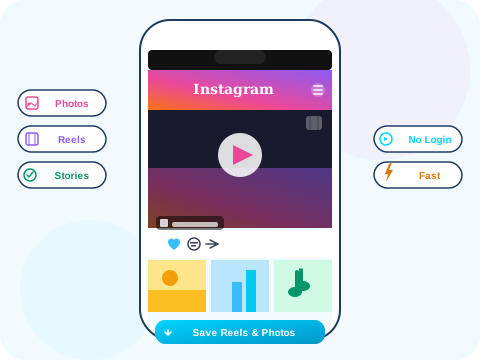
Instagram Reels downloader illustration
10M+
Reels Downloaded
0
Watermarks
100%
Free
HD
Quality
Features

Best Instagram Reels Downloader

Clean, fast, watermark-free — everything you expect from a premium Reels downloader, for free.

🚫

Zero Watermarks

Unlike some tools that add their own branding, FZ-Tools gives you the original Reel exactly as posted — clean and watermark-free.

📱

Save to Camera Roll

On iPhone and Android, downloaded Reels go directly to your photos/gallery. Share them anywhere without re-uploading.

Instant Download

Reels are typically small files — your download starts in under 3 seconds. No waiting, no queues.

🔇

Audio Included

Every Reel downloads with its original audio track — music, voice-overs and all original sounds are preserved.

🖥️

Works on PC Too

Not just mobile — download Instagram Reels directly to your Windows PC or Mac laptop with a single click.

💬

Stories & Posts Too

FZ-Tools also handles regular Instagram posts and Stories — not just Reels. One tool for all your Instagram saving needs.

How It Works

How to Download Instagram Reels

1

Copy Reel Link

Open Instagram, find the Reel, tap ⋯ → Copy link. On desktop, copy the URL from the address bar.

2

Paste & Fetch

Paste the link into FZ-Tools above and tap Fetch. The Reel preview and download options will appear.

3

Download & Share

Click Download Free to save the Reel. On mobile it saves to your camera roll — ready to share anywhere.

FAQ

Instagram Reels Downloader FAQ

How do I get the Instagram Reel link on iPhone?+
Open the Reel in the Instagram app, tap the three-dot menu (⋯) in the bottom right, then select "Copy link". You can now paste it into FZ-Tools.
Why isn't the download working?+
Make sure you're copying the direct Reel link (instagram.com/reels/...) not just the profile URL. Also verify the account is public — private Reels cannot be downloaded.
Can I download multiple Reels at once?+
Currently FZ-Tools processes one URL at a time. Paste each Reel URL separately to download multiple Reels.
The downloaded Reel has no audio — what happened?+
This is rare. Try refreshing the page, re-pasting the URL and downloading again. If the original Reel used an audio track that has been removed by Instagram, it may not be recoverable.
Can I re-upload downloaded Reels to TikTok?+
Yes — many creators download Reels to cross-post to TikTok, YouTube Shorts, etc. Just make sure you have rights to the content or are re-posting your own content.